Dubbing and speech, entirely on your machine.
The Mambo apps bring studio‑grade voice AI to your desktop. MamboDubb re‑voices whole videos in another language; MamboTTS turns text into natural speech with Hebrew done right, and neither sends a byte to the cloud.
One Hebrew clip, dubbed into English and into Russian.
Fifty three seconds, no narration. One Hebrew interview, then the same three speakers in English and in Russian, each keeping their own voice.
Dub any video into another language, in the speaker's own voice.
Point it at a video file or a YouTube link. It transcribes, translates in context, clones each speaker's voice line by line, and mixes the new dialogue over the original music at the original timing.
- Per‑line cloning in the speaker's own voice, every take checked twice
- Script editor with original and translation side by side, RTL correct
- 12 source languages into any of 11 targets
- Runs on 16 GB of unified memory, or 12 GB of NVIDIA VRAM
v0.5.1 · macOS installer · from source everywhere
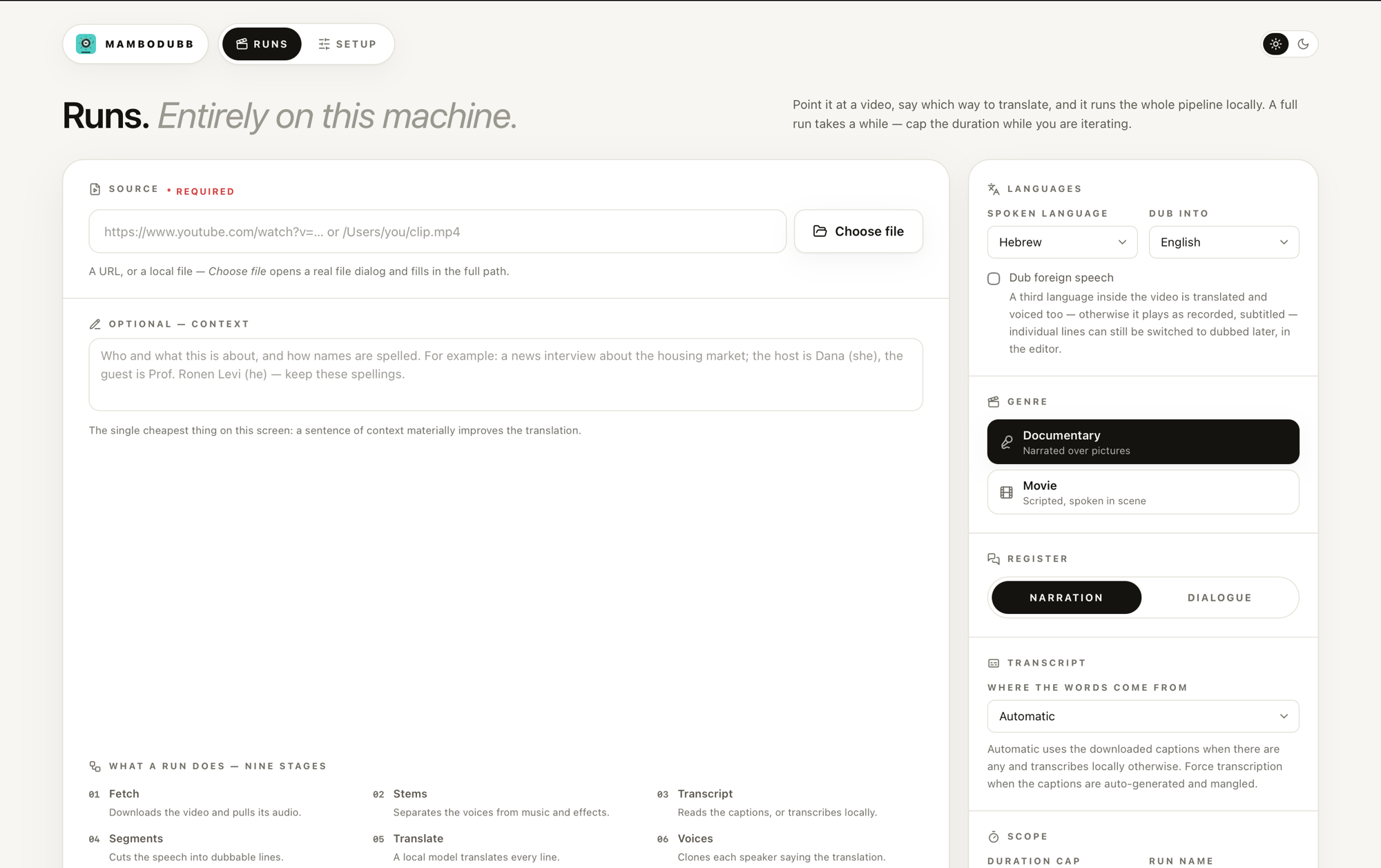
Two ways in, and both of them work today.
macOS · Apple Silicon
curl -fsSL https://github.com/maxmelichov/MamboDubb/releases/latest/download/install.sh | sh
Fetches the app, signs it locally, and puts it in /Applications.
No Gatekeeper dialog.
Any machine · run the server from source
git clone --recurse-submodules https://github.com/maxmelichov/MamboDubb.git && cd MamboDubb && uv sync
cd app/ui && pnpm install && pnpm build && cd ../.. && uv run mambodubb --port 4400
Opens the full studio at http://127.0.0.1:4400. This is the
Windows and Linux route, and on Windows the CUDA build of PyTorch goes in
first.
Server notes
·
Windows notes
On first run, open Setup and press Install everything. No Hugging Face account, no API key, about 25 GB of disk.
Offline speech that gets Hebrew right.
Type a line, pick a voice, and generate high‑fidelity speech locally on an ordinary CPU, with Hebrew treated as the first language rather than an afterthought.
- Diacritics‑aware phonemization, and an IPA editor for the last word
- Voices Noa, Lily, Daniel, and Adam, with preview and WAV export
- BlueTTS by default, and the runtime takes other open‑source models
- CLI and a local HTTP API with Swagger docs, offline after the download
MamboTTS_1.3.7_aarch64.dmg · Apple Silicon (M‑series)
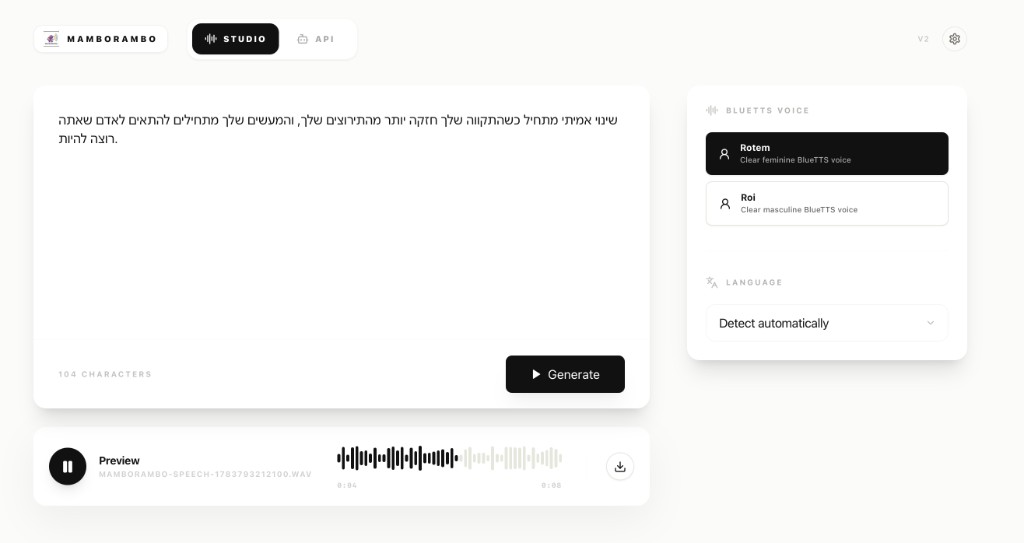
Or install it with one line.
macOS · Linux
curl -fsSL https://github.com/maxmelichov/MamboTTS/releases/latest/download/install.sh | sh
macOS gets MamboTTS.app in /Applications with no Gatekeeper
dialog. Linux gets the AppImage in ~/.local/bin plus a launcher entry,
no root needed.
Windows
irm https://github.com/maxmelichov/MamboTTS/releases/latest/download/install.ps1 | iex
Installs the full desktop app, the same as on macOS and Linux, and downloads the BlueTTS model on first run. Windows 10 and 11, x64.
Both routes download the BlueTTS model on first run. Nothing leaves the machine after that.
Take your audio local.
Free, open source, and running on your own machine. Pick your app and start in minutes.